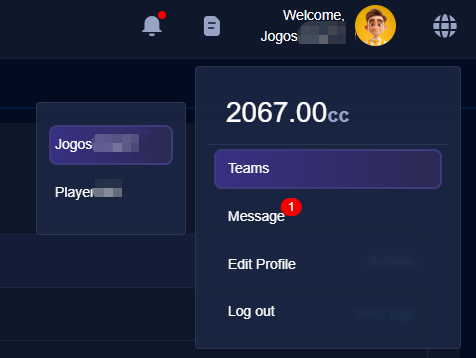
Team Member Feature
After registering for a Jogos developer platform account, you will automatically become the holder of that account.
Go to Account → Team → Team Management to view all team information that the current account has joined.
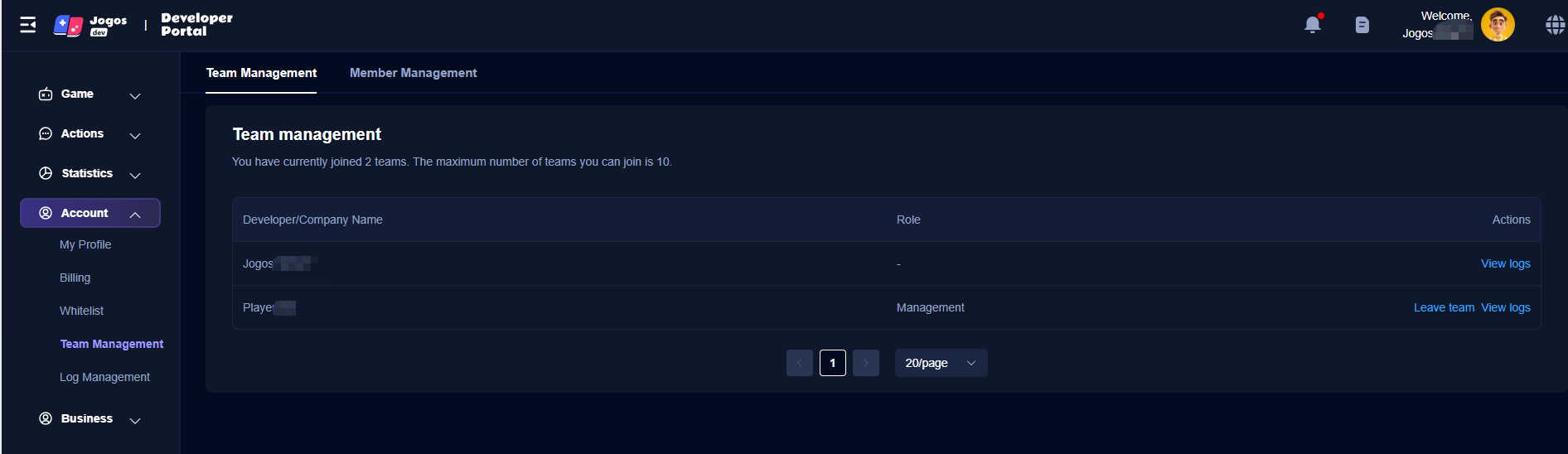
- When your team role is Account Holder or Administrator, you can invite other users to join the team.
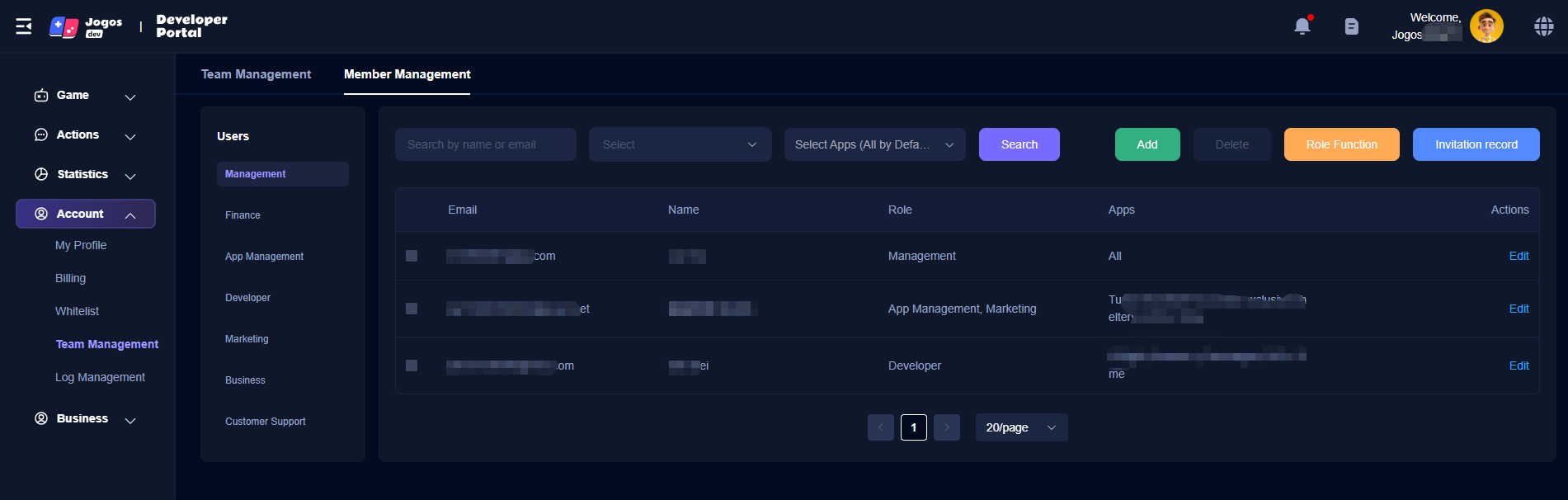
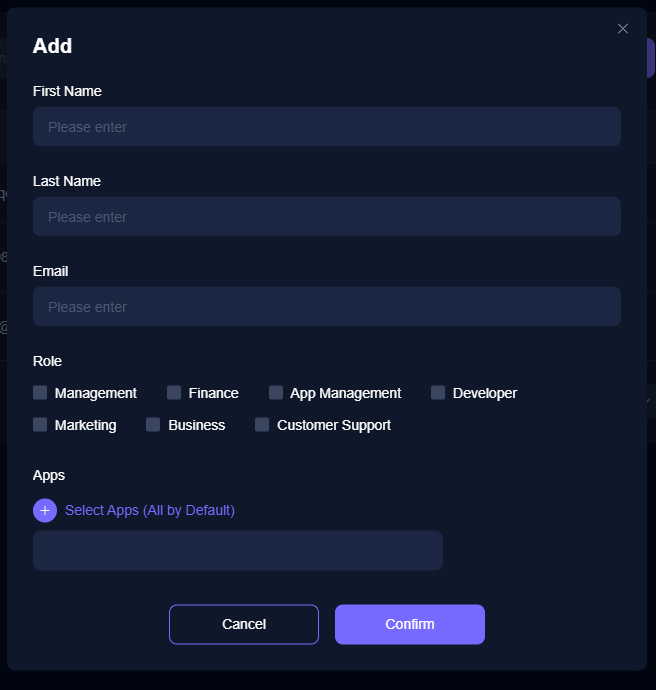
(1) Click the “Add” button, enter the invited user’s information and email address, set their team role and App permissions, and click “Confirm.” The Jogos platform will automatically send an invitation email to the target email address.
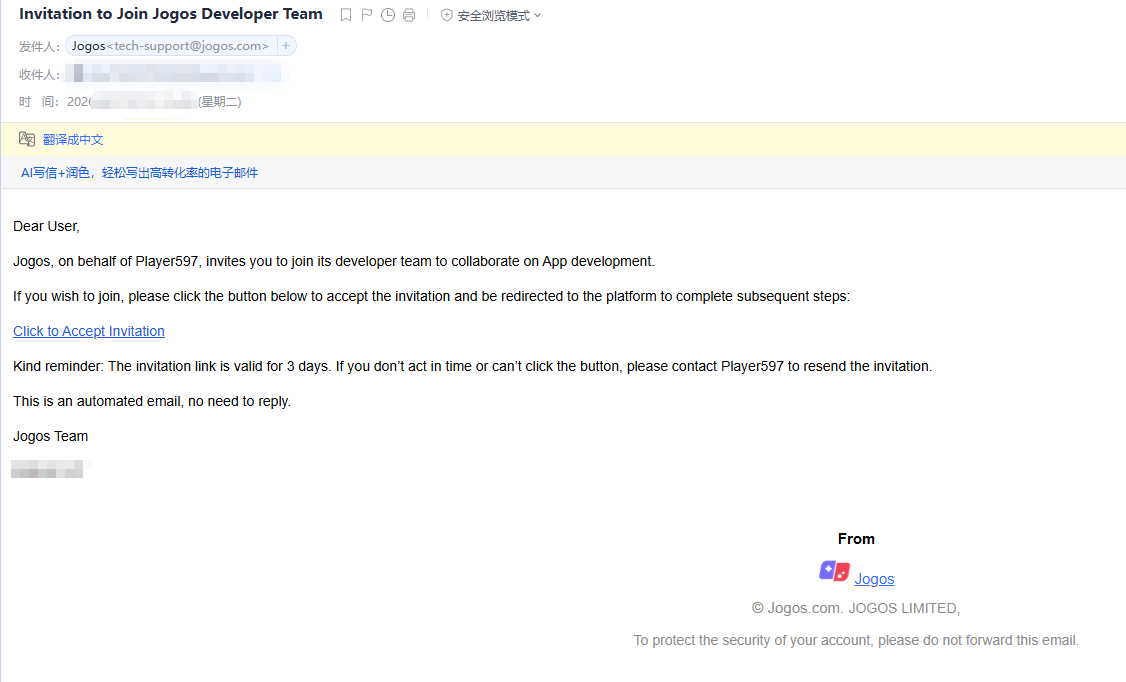
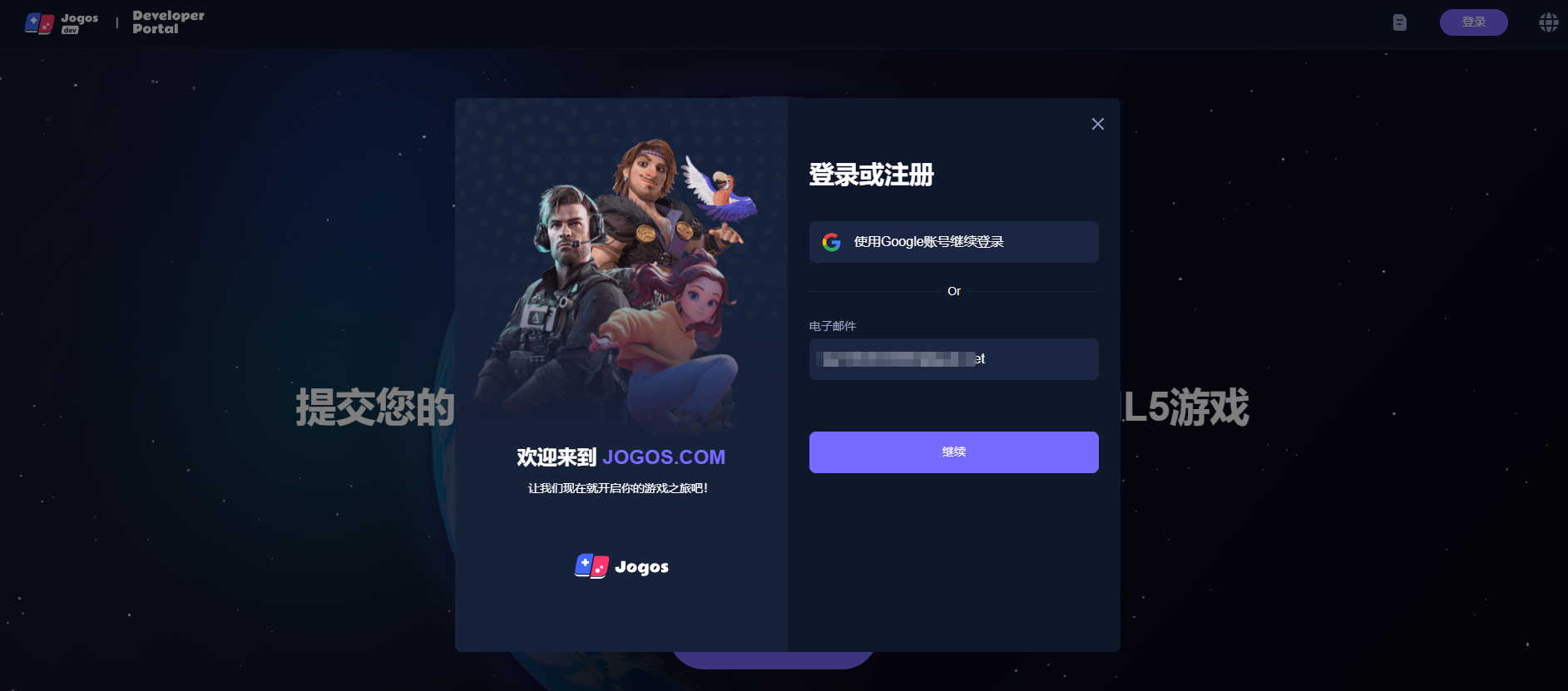
(2) After receiving the email, the invited user clicks the invitation link in the email to access the developer platform, completes account registration or login, and successfully joins the corresponding team.
- After logging in, click the avatar in the upper right corner of the page to switch to a different team from the pop-up options.